Varjo
Varjo XR-4 Professional Mixed-Reality Headset
Availability by condition
Request a QuoteLet’s discuss your requirements
View product
Architecture, Engineering & Construction
Hardware for design review, visualisation and project collaboration.
XR specialistsHardware for organisations
Global sourcingHard-to-find models and quantities
New & refurbished12-month XRDepot warranty
Lifecycle supportBuy, sell and source equipment
From application to equipment
Start with your software and working environment, then match the hardware.

Explore designs at true scale and identify issues early in the design process.

Review federated models and coordinate design teams around shared information.

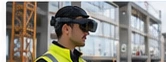
Access models and site information in context to support on-site coordination.

Connect on-site teams with remote expertise for collaboration and guidance.
Use immersive scenarios to practise procedures and build awareness.

Help clients and stakeholders experience designs in context before decisions are made.
Plan before you procure
Tell us your design software, workflow and display requirements. We can discuss equipment for a pilot, a project team or an established XR deployment.
Start with the models, quantities, condition and timescale you have in mind. If the details are still developing, our team can discuss the options with you.
Match hardware to your workflow
Confirm software compatibility and suitability for your intended application.
Availability by condition
Request a QuoteLet’s discuss your requirements
View product10 New · 11 Refurbished in stock · Discontinued
From £1,850.00+ VAT where applicable
View productAvailability by condition
Request a QuoteLet’s discuss your requirements
View productHow we help
We help architecture, engineering and construction teams match the right XR hardware to their existing BIM workflows, site processes and project requirements, ensuring smooth adoption from design review to on-site delivery.
A clear route to procurement
Model, configuration, quantity, condition and destination.
We check the options against your brief and delivery needs.
Confirm availability, inclusions and the terms in writing.
Agree shipping, documentation and ongoing hardware support.
Let’s discuss your requirements
Share your equipment, quantities, destination and timescale. We’ll confirm the next steps with you.
Confirm that the proposed model works with your BIM or visualisation software and model requirements. Include tracking, calibration, connectivity and the working environment in your brief.
Suitability depends on the specific device and environment. Check PPE compatibility, site conditions, ruggedness, reliability, battery and safety requirements rather than assuming office hardware is suitable on site.
Tell us your preferred condition and any alternatives you can consider. Available models, quantities, included accessories and warranty are confirmed in the written offer.
Include the application, model or specification, quantities, destination and timescale. Attach an RFQ where useful. Do not include patient, classified or sensitive operational data.